
14.1 Generating a Linode API Token
- Sign in to the Linode Cloud Manager at https://cloud.linode.com.
- Open the profile menu in the top-right corner and choose API Tokens.
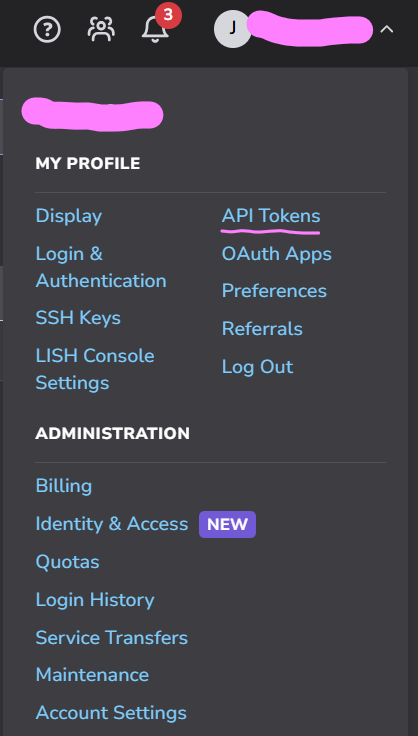

- Click Create a Personal Access Token.
- Give the token a label and an expiry, then grant Read/Write access to at least the following scopes:
- Linodes — create, power, resize, rebuild and delete instances
- Images — capture, upload, replicate and delete images
- Volumes — create, attach, resize and delete Block Storage volumes
- NodeBalancers — create, edit and delete NodeBalancers
- IPs — reverse DNS, IP assignment and sharing, IPv6 ranges
- Account — read the event history and account settings
- Profile — manage SSH keys
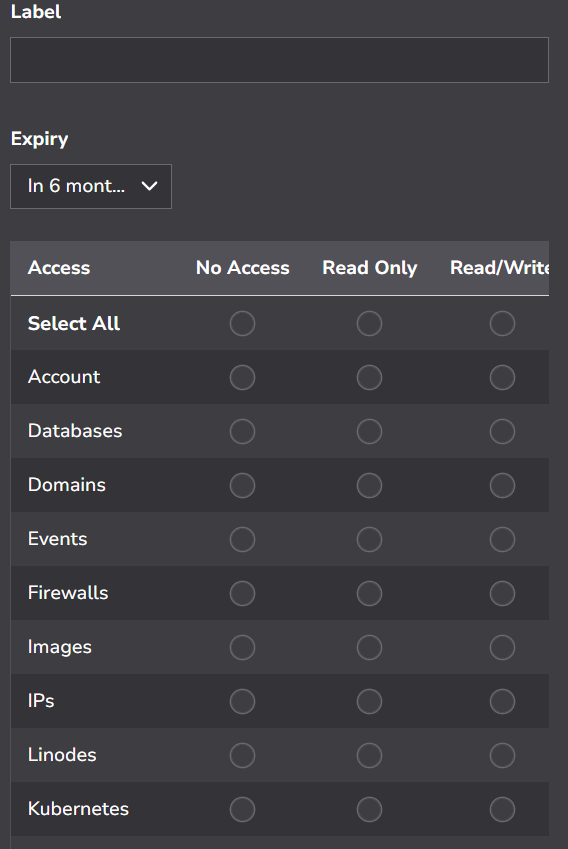
- Click Create Token and copy the token immediately — Linode displays it only once.
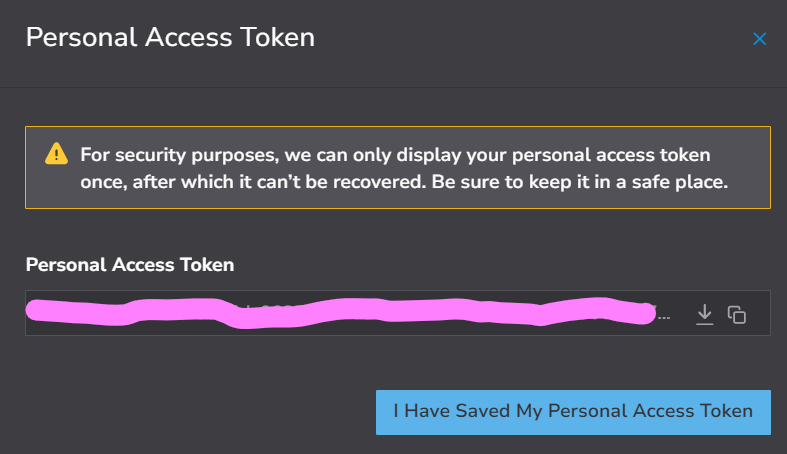
- Paste it into the server’s Linode Personal Access Token field in WHMCS (Section 5).
Important: A token missing a scope causes only the affected feature to fail, with the Linode permission error shown to the user. If one Client Area page reports a permission error while others work, check that scope on the token.